An order shouldn’t stop at the screen. It should reach the machine and leave as a shipped unit.
Background
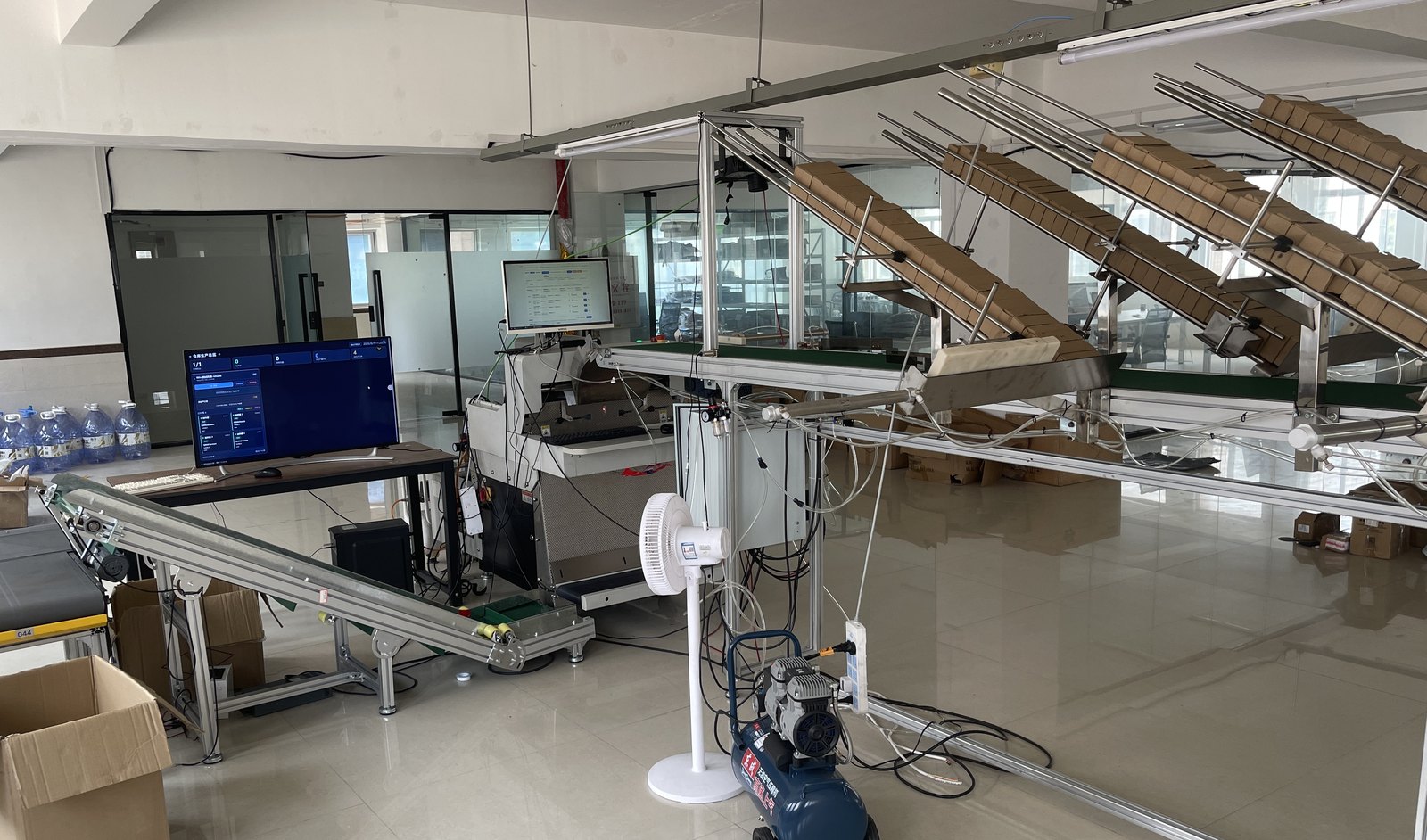
Online operations and the factory floor used to be disconnected: orders lived in the ERP, production lived in people’s hands. Workers cross-checked SKUs against exported spreadsheets, stuck labels by hand, and counted units by eye — one order at a time, then scroll to the next row. The machines themselves were already automated. The packer, the conveyor, the cylinders were all there; nothing was telling them which unit of which order was due next.
This project fills exactly that gap. I built a distributed production-line control system from scratch: an upper layer that takes orders, a middle layer that schedules machines, and a lower layer that drives the PLC and serial devices directly — so an order stays stateful, traceable, and replayable from pull and dispatch through feeding, barcode counting, label printing, packing, and sorting. It doesn’t run in the cloud; it runs on the industrial PC bolted to the machine, and it has to keep shipping when the network drops.
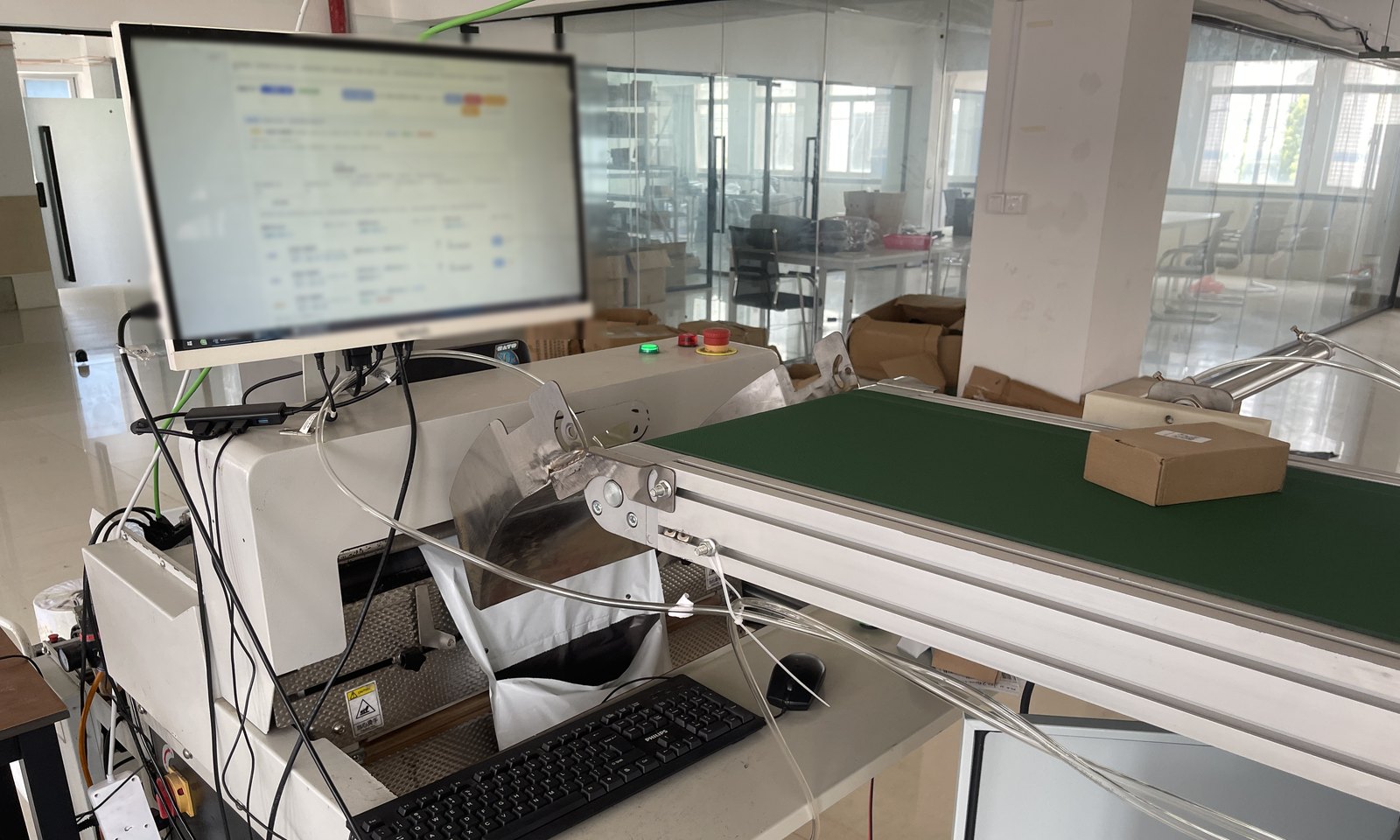
The line in production. The operator screen is mounted on the packer itself; a bagged and sealed unit drops onto the green conveyor and heads for the sorting stage. Screen contents blurred.
FastAPI · PostgreSQL
Pluggable multi-ERP layer
Node registry / heartbeat / tokens
Dispatch rules · ordered label printing
pullpersistdispatchsyncProduction worker loop
Single-writer supervisor + journal
Pure-function line state machine
Hardware actor layer · local JSON store
PLC (cylinders / output points)
Servo rollers (feed slots)
VFD conveyor (speed / ramping)
Label printer · industrial scanner
Laser marker · sorter
A fourth piece, the aggregation hub, spans every machine: it polls each node’s read-only endpoints into one snapshot, streams it to the floor dashboard over SSE, lets operators manage feed slots per machine from a phone, and forwards writes back to the right node.
This is what the software eventually lands on: the packer and its label printer, the cylinder that pushes a parcel off the line, and the reader whose every report maps to exactly one count.
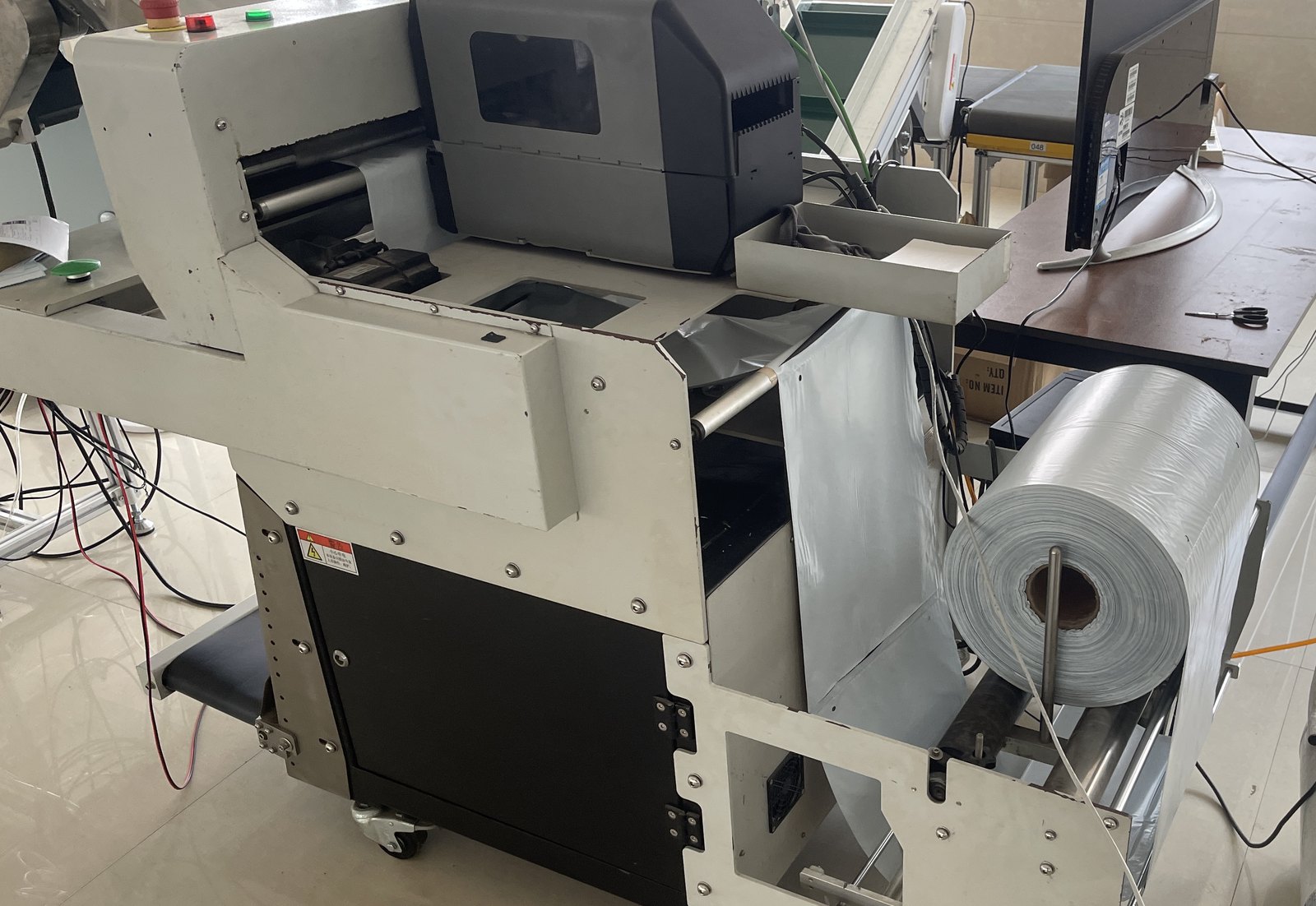 Automatic packer with the label printer mounted on top and the film roll
 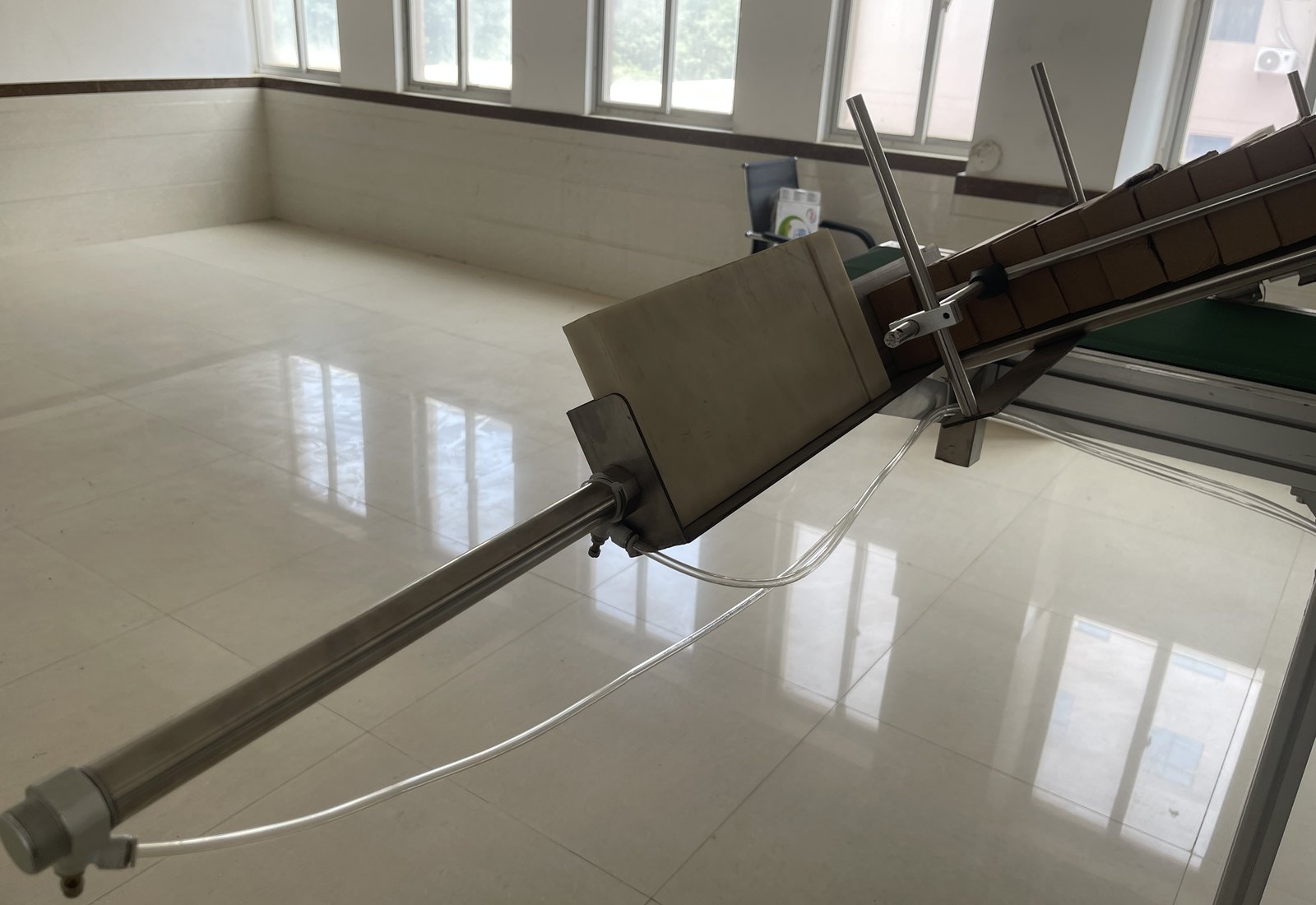 Pneumatic pusher and the inclined sorting chute
 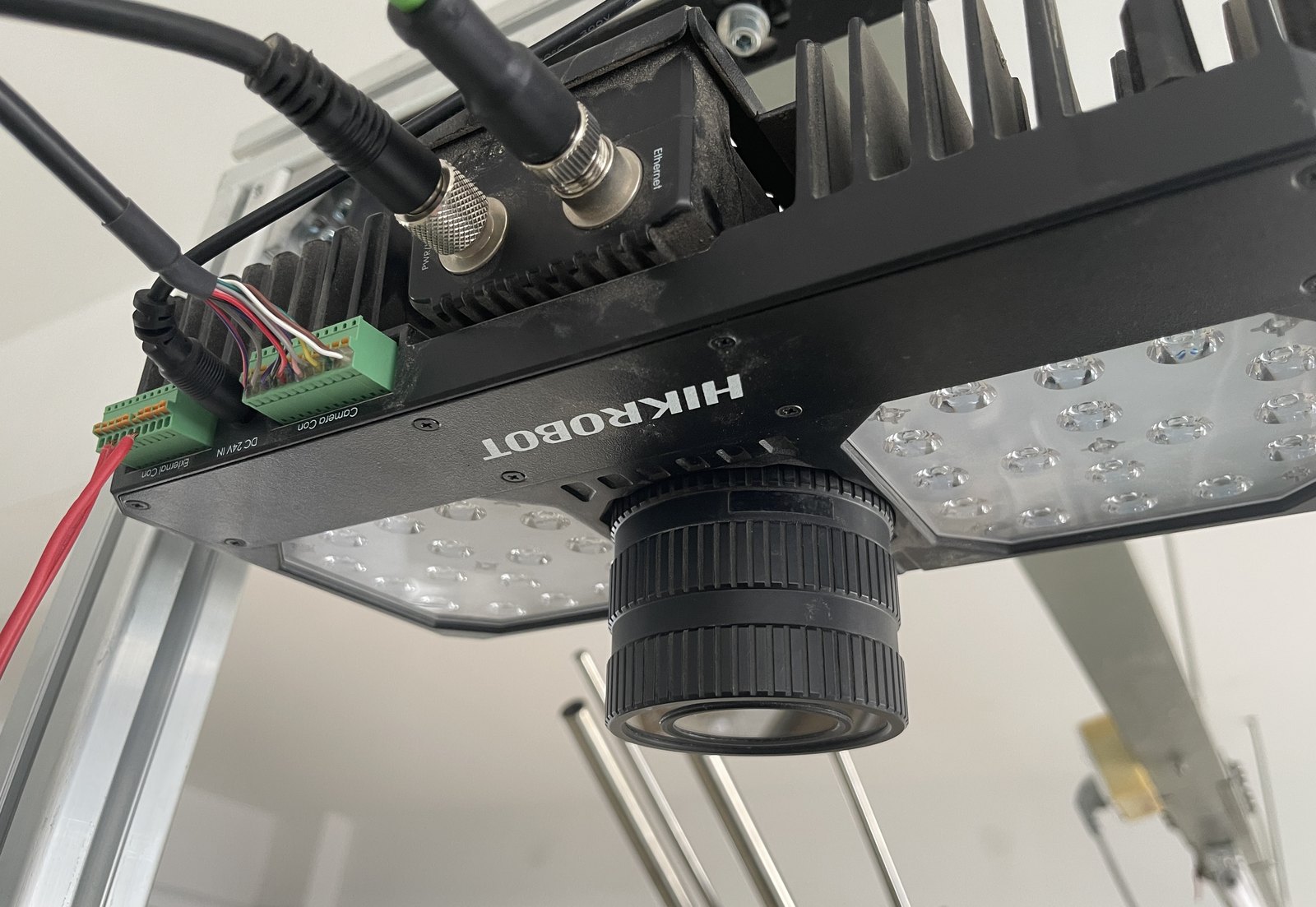 Industrial code reader and its light array above the conveyor
 Serial ports, PLC connections, and printer drivers are exclusive resources. Two HTTP requests writing the same RS485 bus don’t produce an error — they produce garbage, and in the physical world garbage means the conveyor starts at the wrong frequency.
So every device class is wrapped in a single-threaded actor: callers can only submit to a bounded queue and get a future back; a full queue is rejected rather than piling up; a timeout abandons the wait without interrupting the command already in flight. The drivers themselves need no locks at all.
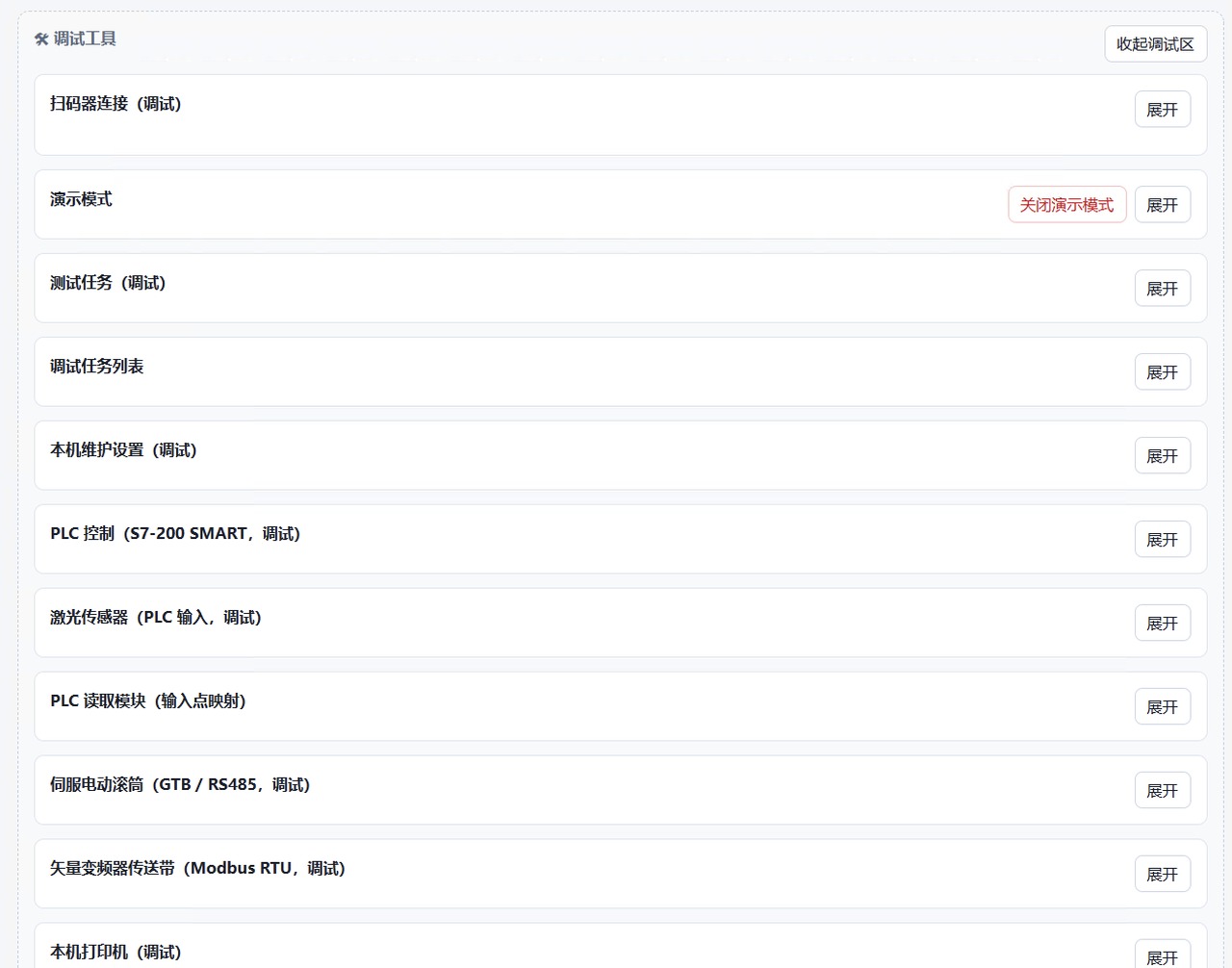
Every actor has a matching debug entry — connect and exercise one device without running production.
Factory PCs get unplugged, and Windows reboots itself at 3am. Software can restart — but the goods are still sitting on the conveyor. If the restarted process doesn’t know the last order was seven units in, the operator has to clear the whole line and start over.
Line state therefore collapses to a single writer: every change enters a queue as a command and is applied serially, and each transition is written to a journal before it takes effect. On restart the journal replays to the pre-crash snapshot, and the operator confirms and resumes from that point instead of from zero.
On the floor, “the line stopped” is four completely different events: someone hit pause, material ran out, a crash replay is waiting for confirmation, or a device faulted. Expressing all four with one isRunning boolean leaves the operator guessing at the screen. Instead the state is split into 10 hierarchical values across 4 families; the UI decides button availability by family, and the reducer is a pure function that touches no hardware — the entire state logic is testable on a laptop with no machine attached.
Every value that needs tuning on site has an input and a Test button next to it — control points, pulse widths, cylinder extend and retract, scan dedup windows, conveyor frequency and ramps, roller direction and speed per logistics channel. Machine identifiers, internal addresses, and product SKUs are redacted.
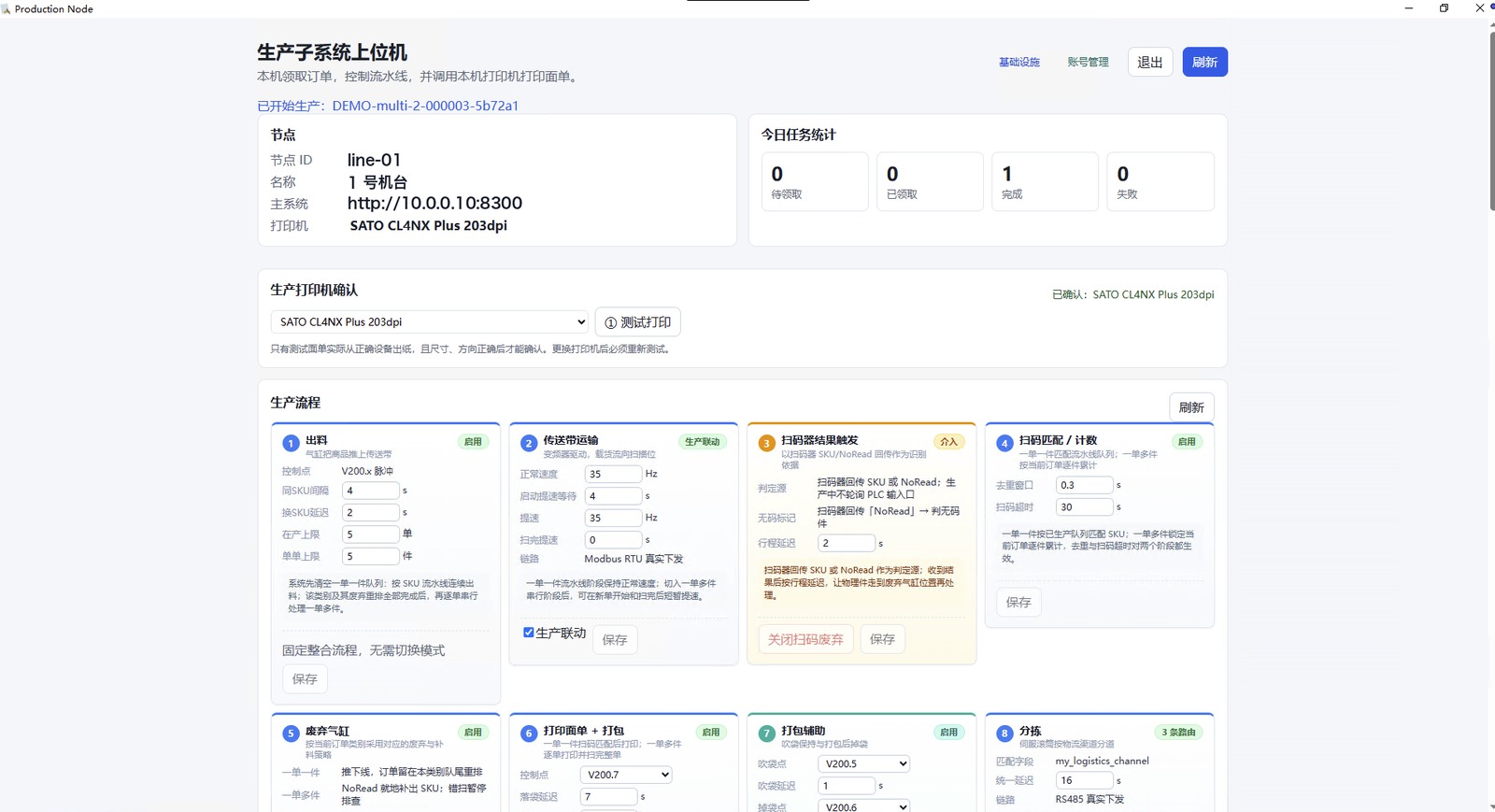 Production flow: feed, transport, scan trigger, counting, discard, print and pack, sort
 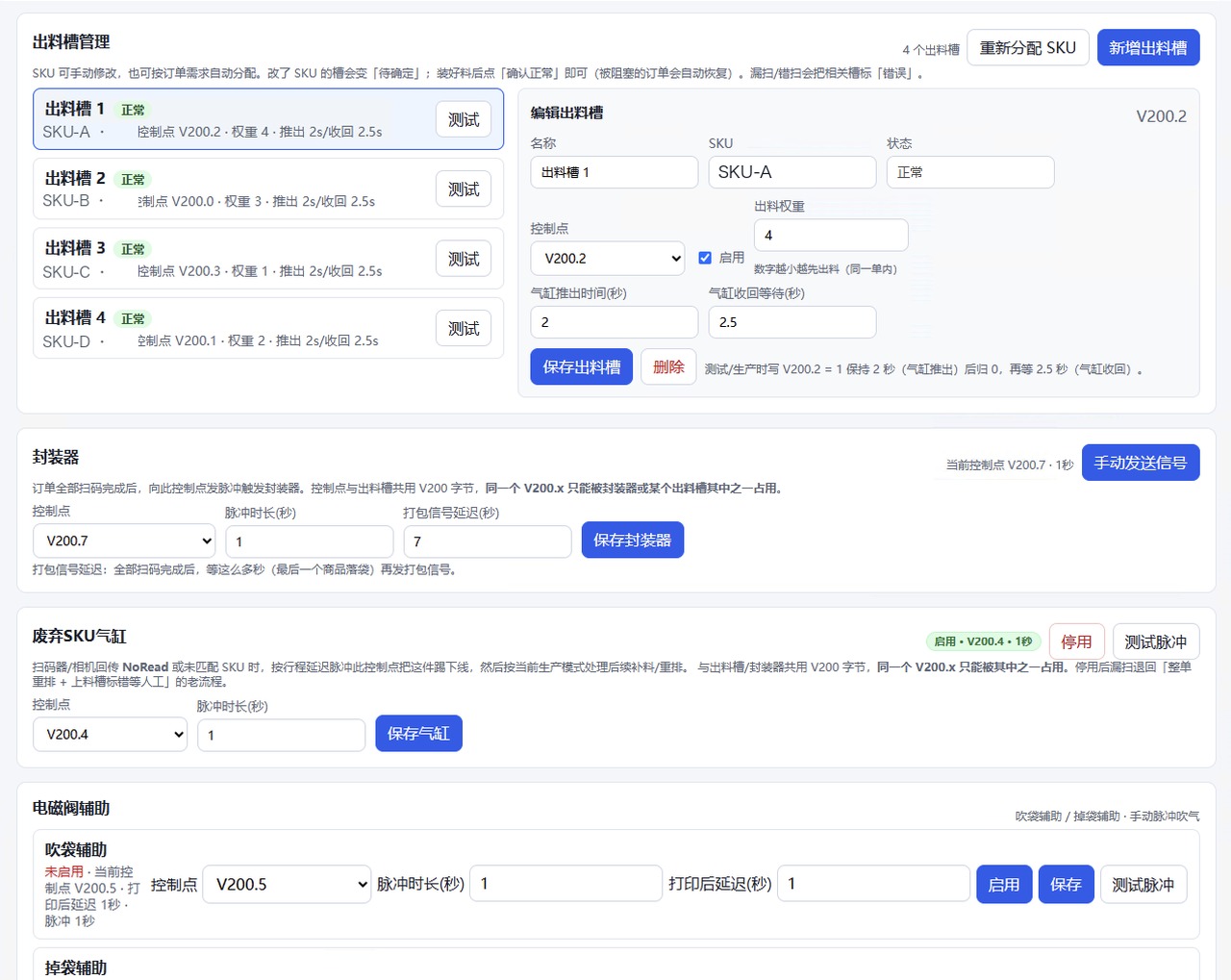 Feed slots, sealer, and cylinders — control points and timing
 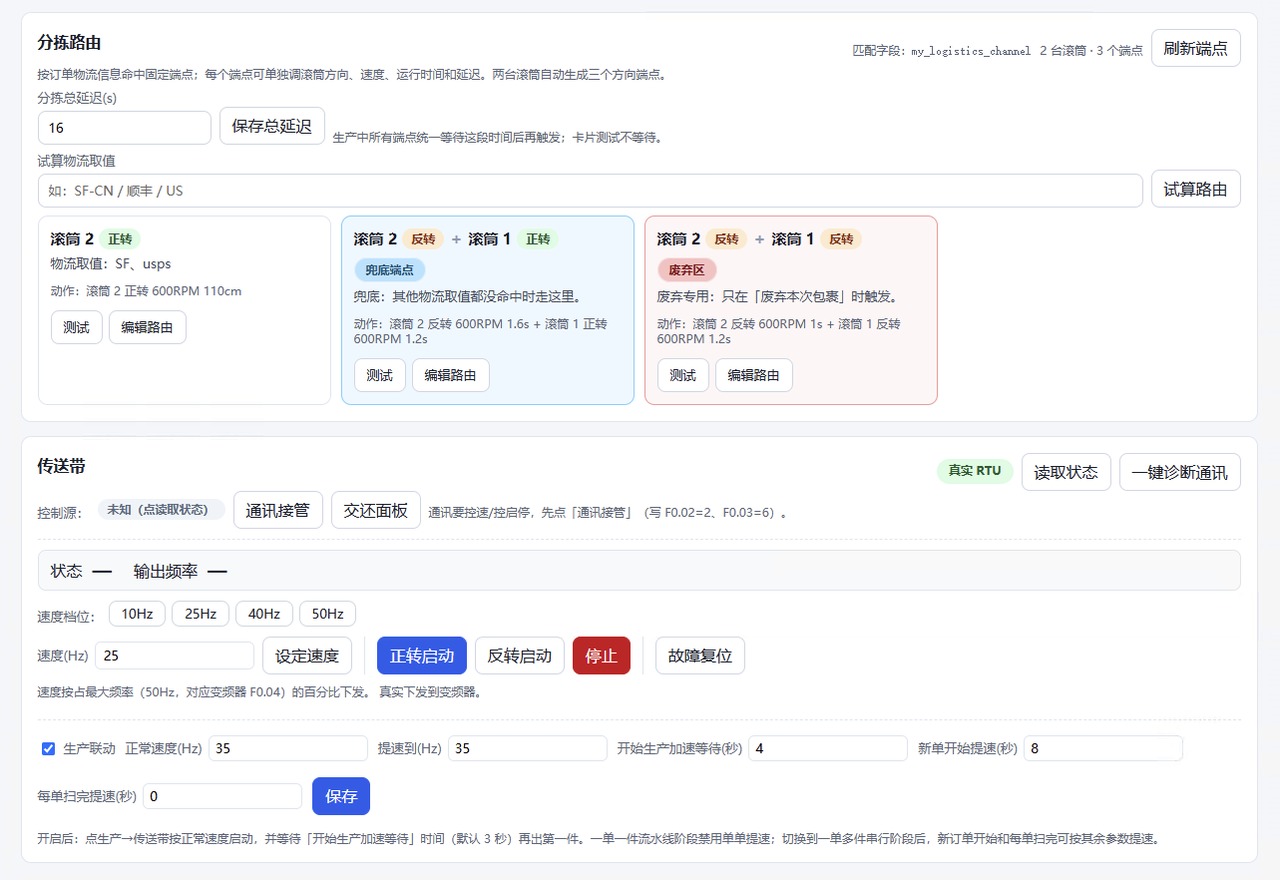 Sorting routes and the VFD conveyor's speed and ramping parameters
 The scanner’s “HTTP mode” doesn’t actually follow the spec — its headers carry a stray path line with no colon, and standard frameworks reject the request outright. I put a compatibility gateway in front of the business port: it detects whether the incoming bytes are an HTTP message or raw TCP, forwarding the former and treating the latter as a barcode straight into the counter. On the device side, that’s still just one IP and one port to configure.
The gateway also archives every inbound frame as raw bytes, hex, and multi-encoding decodes, surfaced in a “raw signal” debug panel. Swapping in a new scanner on site no longer needs a packet capture tool — you can see exactly what it sent from the browser.
Every report maps to one count. A silently dropped UDP packet raises no error — it just undercounts the order by one unit, discovered after the box has shipped, with nothing in the logs to explain it. When failure must be visible, one persistent connection is a cheap price.
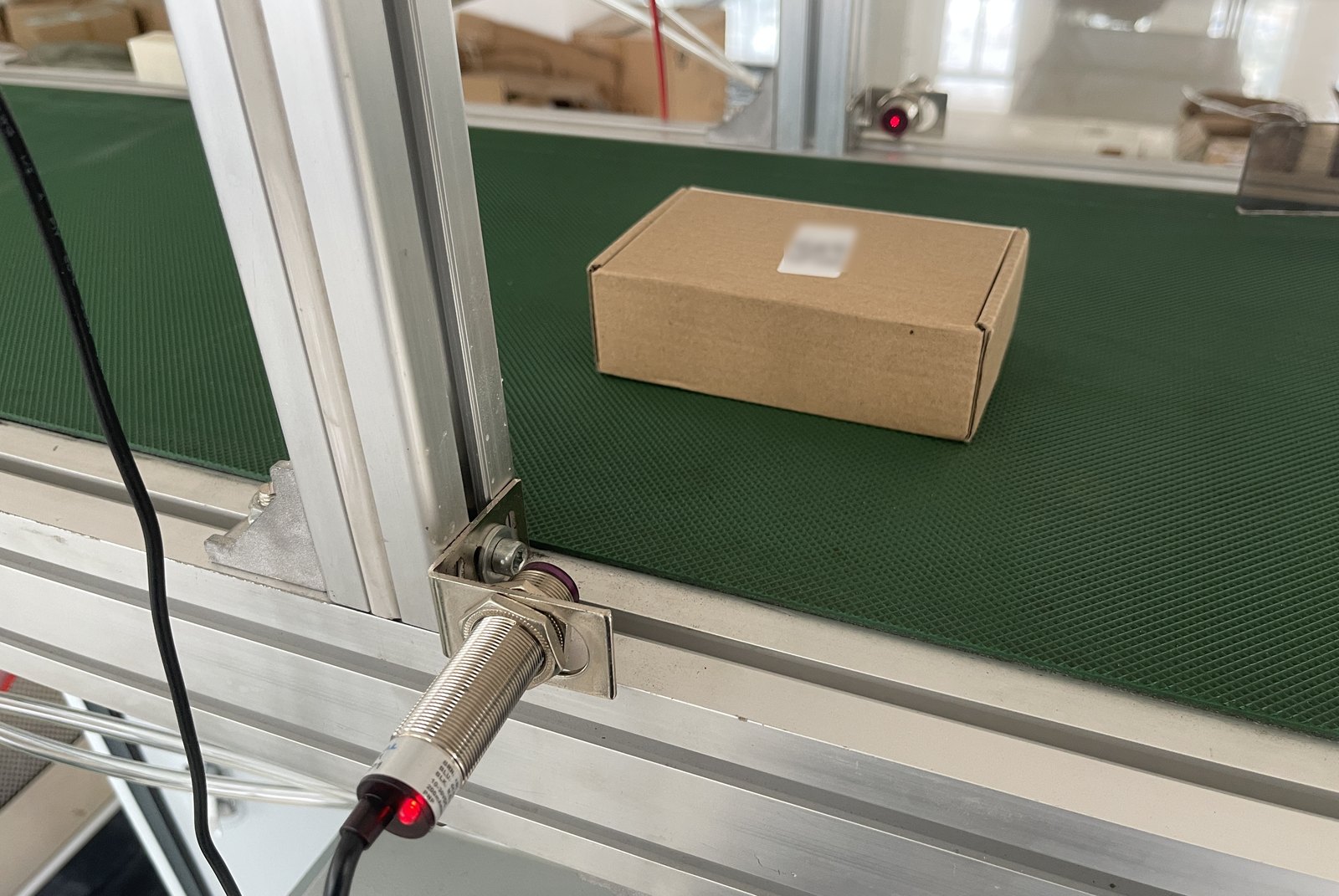
The sensor decides the unit is in position, the reader reports its barcode — together they decide whether this one counts. Label redacted.
The same machine runs two ways. Pipeline keeps several orders flowing down the conveyor for throughput; serial runs one order at a time for control. Their timing needs are completely different — yet both share the same PLC addresses and serial settings. So parameters are split by dimension: process timing is snapshotted per mode, hardware and connection config stays global and singular. Switching modes swaps the whole timing set instead of re-entering it field by field.
Unstable factory networks are the norm, so the whole system is designed to be self-sufficient on the LAN: jobs live on the machine, and the production loop makes no outbound calls. Tokens issued by the account service are verified locally against a cached public key, so operators can still sign in and start a shift when the service is unreachable. Records that need reporting go into a disk-backed queue, retried by a background thread and deduplicated server-side by idempotency key — everything reconciles once connectivity returns, and the line keeps running in the meantime.
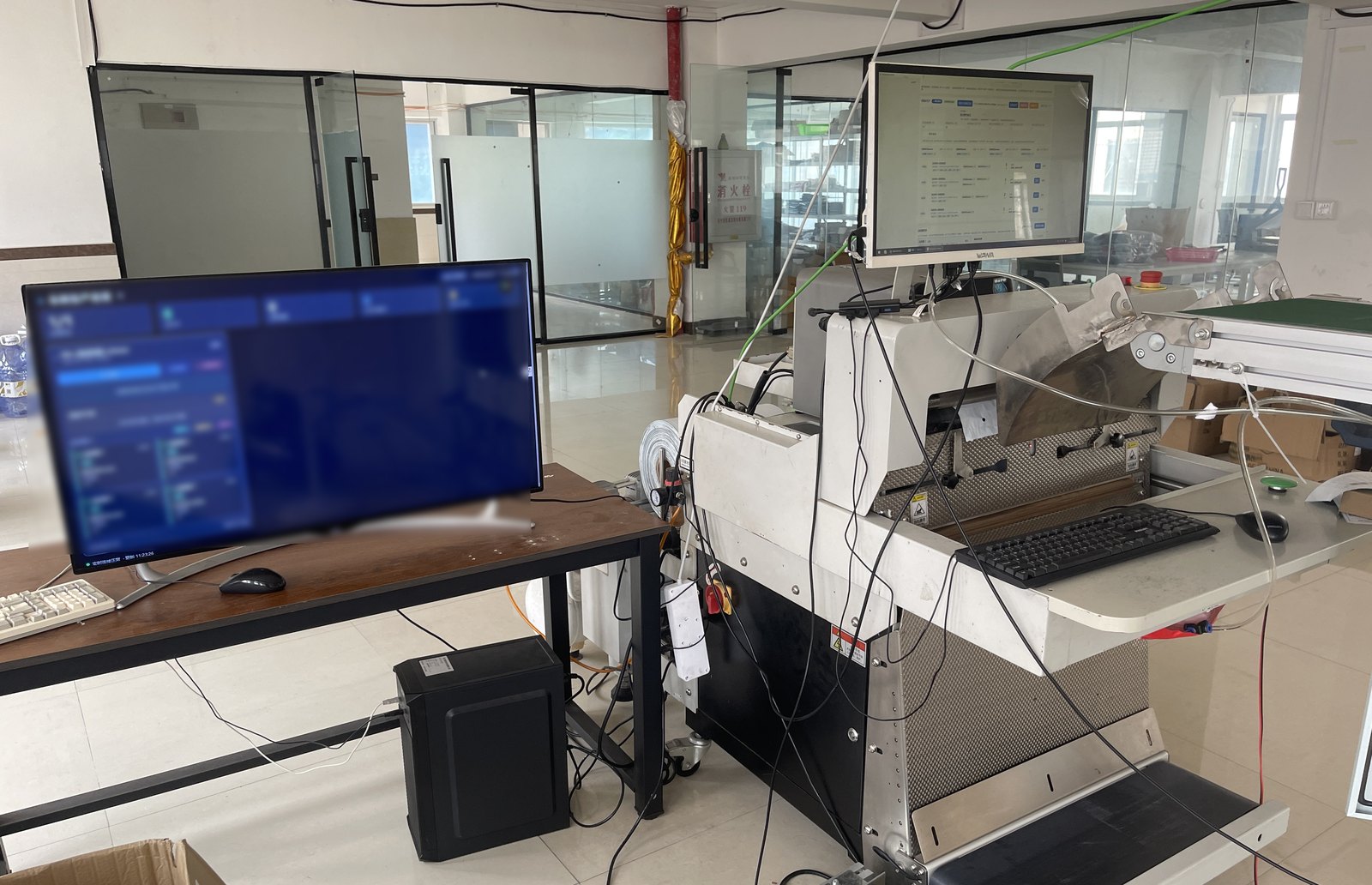
The dashboard sits right next to the machine — visible by looking up. Screen contents blurred.
One screen overhead, one in your hand
For a single machine the node console is enough; for several it isn’t. The aggregation hub adds a layer above every node: a background poller hits each machine’s read-only endpoints concurrently on a fixed interval, composes one in-memory snapshot, persists history, and streams it to the dashboard over SSE.
Polling only touches endpoints that don’t drive hardware. Calls like conveyor status, which physically open an RS485 port just to answer, are explicitly excluded from the high-frequency loop — monitoring has no business disturbing the production bus.
The phone is the second screen on the floor
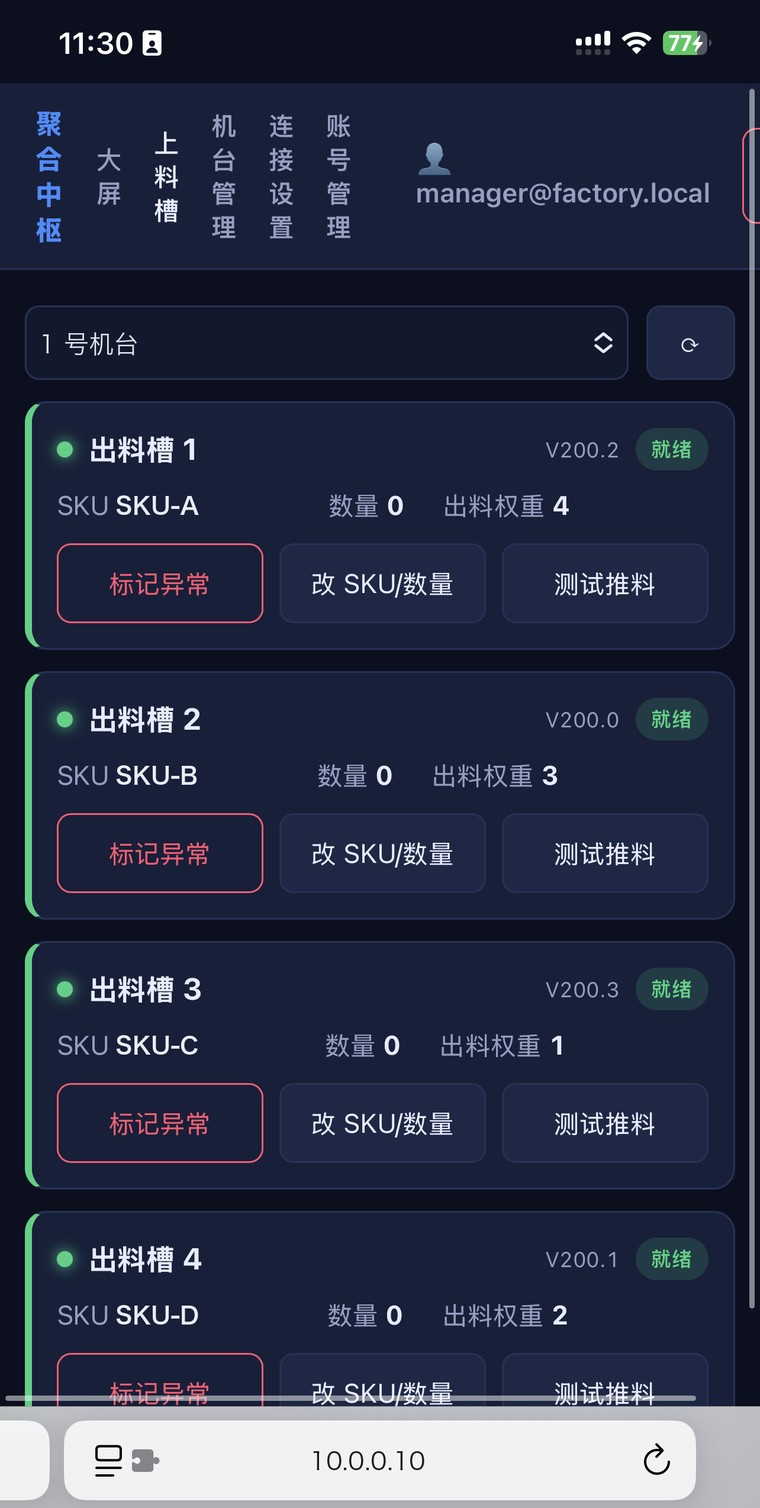
Almost every change to a feed slot happens next to the machine, not at a desk. An operator finishes loading and confirms it, spots a jam and flags a fault, switches orders and edits the SKU and quantity, or test-feeds a single unit while commissioning. If all of that requires walking back to a computer, the system just gets routed around.
So the hub renders these actions as a mobile-first page: join the floor’s local network and operate any machine from a phone, with writes forwarded through the hub to the right node and reads coming from the same snapshot the dashboard uses. The dashboard is read-only and needs no login; the phone does.
Nobody on the floor is going to open a terminal. The release build fuses three things into one double-clickable app: Tauri supplies the native window and process management, the Vue front end is built by Vite straight into the WebView, and FastAPI is compiled by Nuitka into a standalone sidecar shipped alongside — no Python runtime on the machine.
On launch, Tauri starts the sidecar and only shows the window once the local port answers; on exit it shuts the sidecar down, and on Windows a Job Object binds the backend to the app’s lifetime so closing the window can’t leave a process quietly driving the conveyor. Release builds also disable the API docs and skip registering debug routes.
Stations beyond the packer plug in through the same “node” model. Laser marking brought an interesting inversion: the vendor system is pull-based — once its vision system recognizes a product, it connects to us and asks for the content, rather than us pushing content to it. Control, content, and template each get their own TCP link, and the driver layer is pluggable, so the vendor system, a direct board connection, and pure simulation are interchangeable with zero changes above.
What this project taught me
On the web a failed request is a refresh away. On a line, one wrong output pulse is a scrapped unit. The design center of gravity moves from 'how do we recover' to 'how do we make the illegal state unrepresentable'.
The datasheet claims HTTP support; the actual frames don't comply. What works is not asking the vendor to change, but keeping a compatibility layer and a raw-signal archive on your own side.
Working isn't shippable. One command to bring a machine online, a double-click installer, no orphaned process after closing the window — these decide whether the system gets used or gets routed around.
This page is a redacted overview: no source code, repository, real customer or vendor names, device addresses, credentials, or licensing internals.